 Matt Transcriber
There are several ways to convert a WhatsApp audio to text: WhatsApp's built-in feature, bots you forward messages to, web services, and dedicated apps. They are not equal — neither in text quality nor in privacy. Here's the honest comparison.
1. WhatsApp's built-in transcription
WhatsApp lets you transcribe a voice note by long-pressing it and choosing "Transcribe". It's convenient, but in practice it has three limits:
- when the audio is fast or noisy it leaves dashes and skipped words;
- supported languages are limited;
- you only get raw text: no summary, no translation, no archive.
2. Bots and web services
Forwarding a voice note to a bot or uploading it to a website means sending the audio (and the sender's voice) to third-party servers. Beyond the privacy issue, the flow is slow: forward, wait, go back to the chat. Not recommended for personal or work messages.
3. A dedicated app with native sharing (Matt)
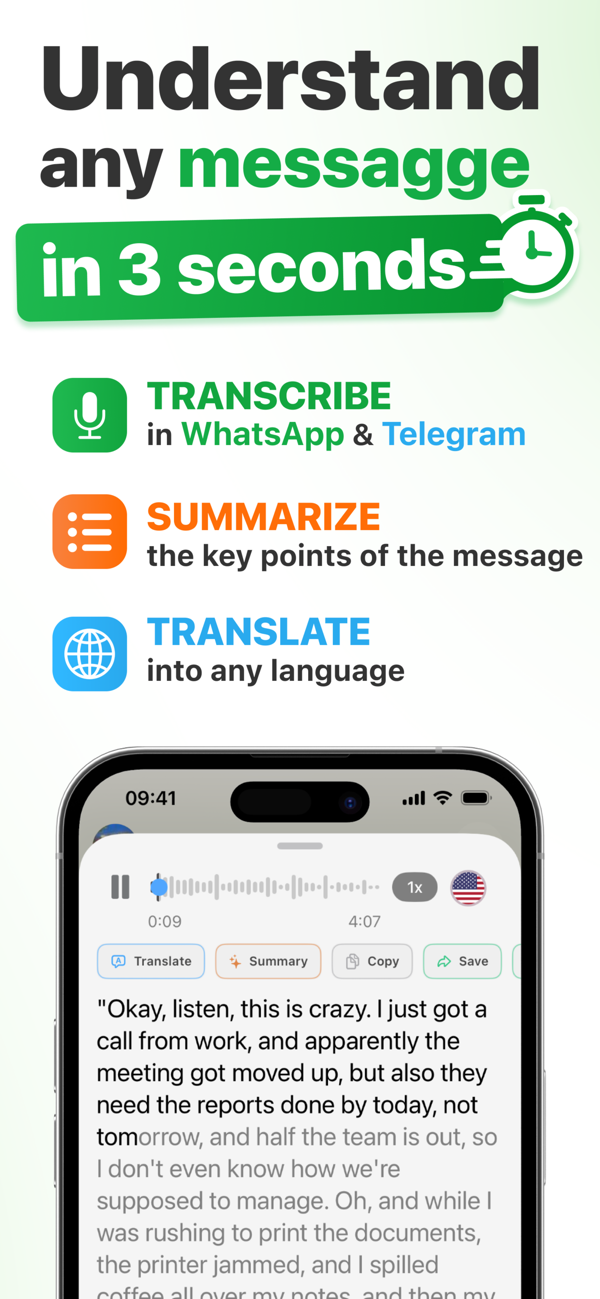
Matt converts voice notes to text using Apple's speech recognition, entirely on your iPhone. The flow is as short as it gets:
- Long-press the voice note in WhatsApp;
- Tap Forward → Share → Matt;
- Read the full text in seconds.
And once converted, the text is actually useful: you can copy it, save it to a searchable archive, summarize it with AI or translate it.
Quick comparison
- Text quality: Matt (no gaps) > native WhatsApp > bots;
- Privacy: Matt (with a 100% on-device offline mode) > native WhatsApp > bots/web services;
- Extra features: only Matt offers AI summaries, speaker recognition, translation from 90+ languages and an archive.
Convert your first voice note for free
Audio → text in seconds, without leaving WhatsApp. ★ 4.9 on the App Store.
Download on the App Store